
How do I configure my course assessment system in the Gradebook?
Choosing Your Assessment System
Your Gradebook now supports two assessment systems to match how you want to evaluate learners:
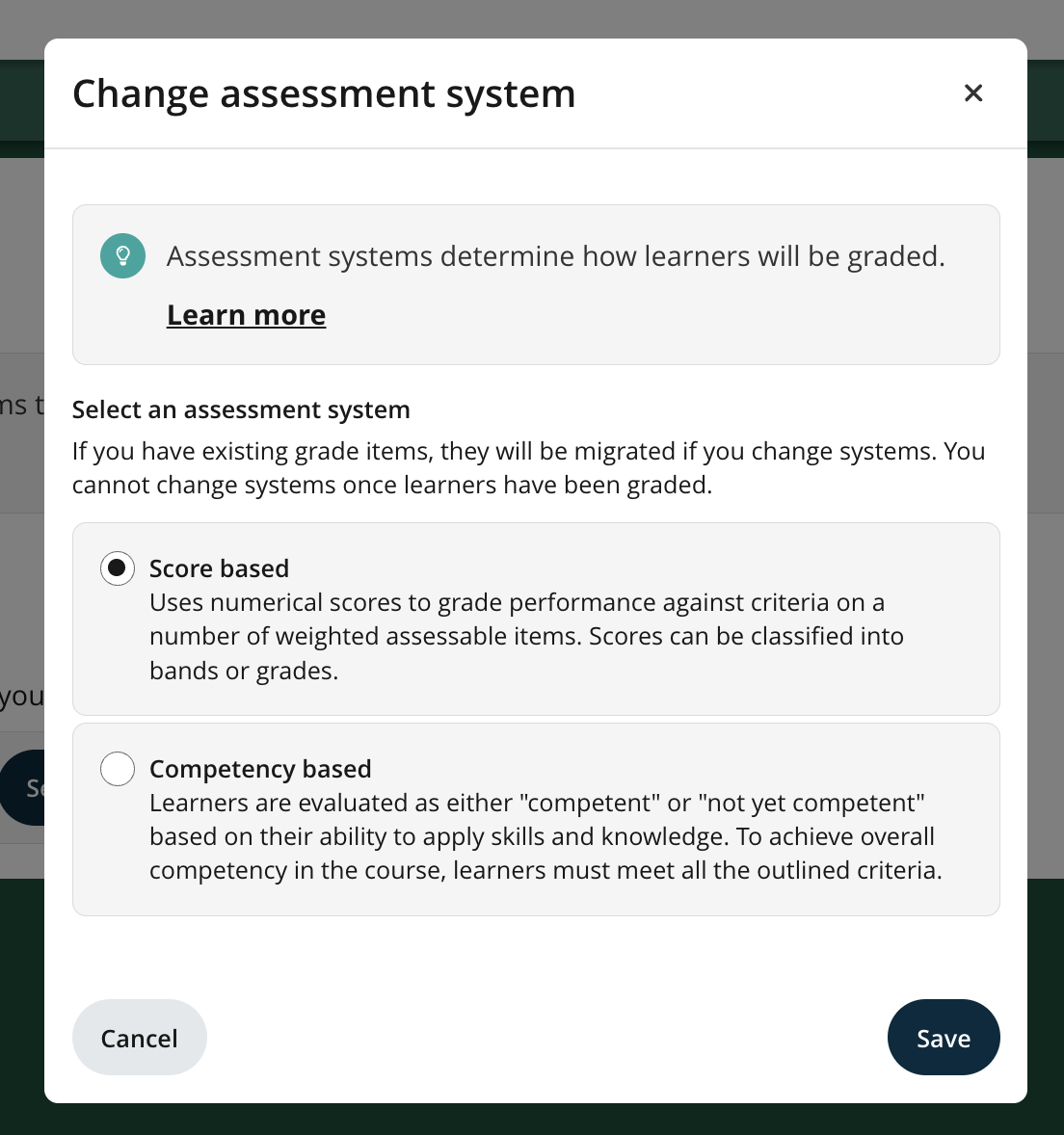
Score-based – Learners earn numerical scores on weighted assessments. Scores can be grouped into letter grades or bands. (This is the default for existing courses.)
Competency-based – Learners are evaluated as "competent" or "not yet competent" based on their demonstrated skills and knowledge. To pass the course, learners must achieve competency across all criteria.
Setting Up Your Assessment System
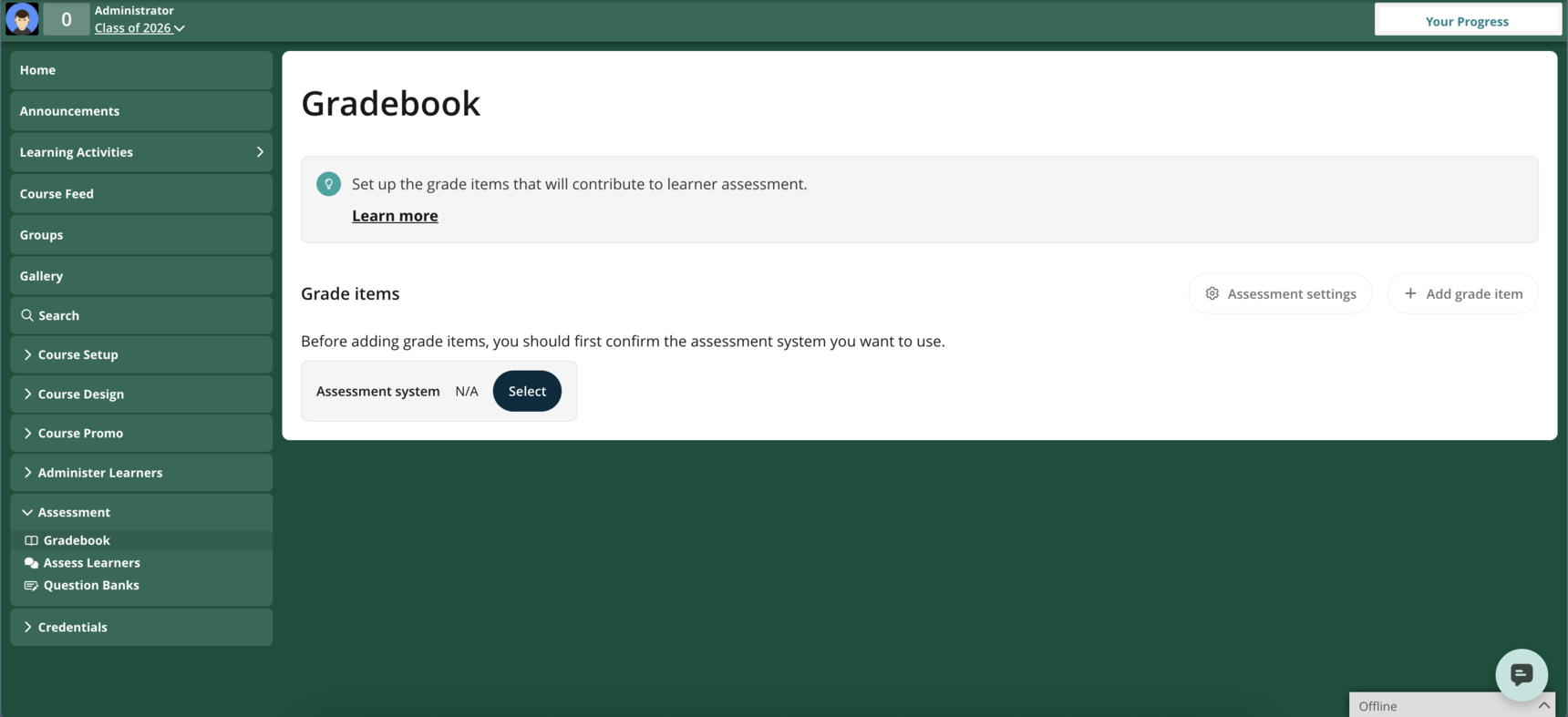
When you create a new class from scratch (not using quick creation), you'll be prompted to select your assessment system before adding grade items.
To choose your system:
- Click Select when prompted
- Choose either Score-based or Competency-based
- Click Save
You can now start adding grade items to your course.
Note: Assessment systems are applied per class, not per course. You can use different systems for different classes.
Configuring Competency-Based Settings
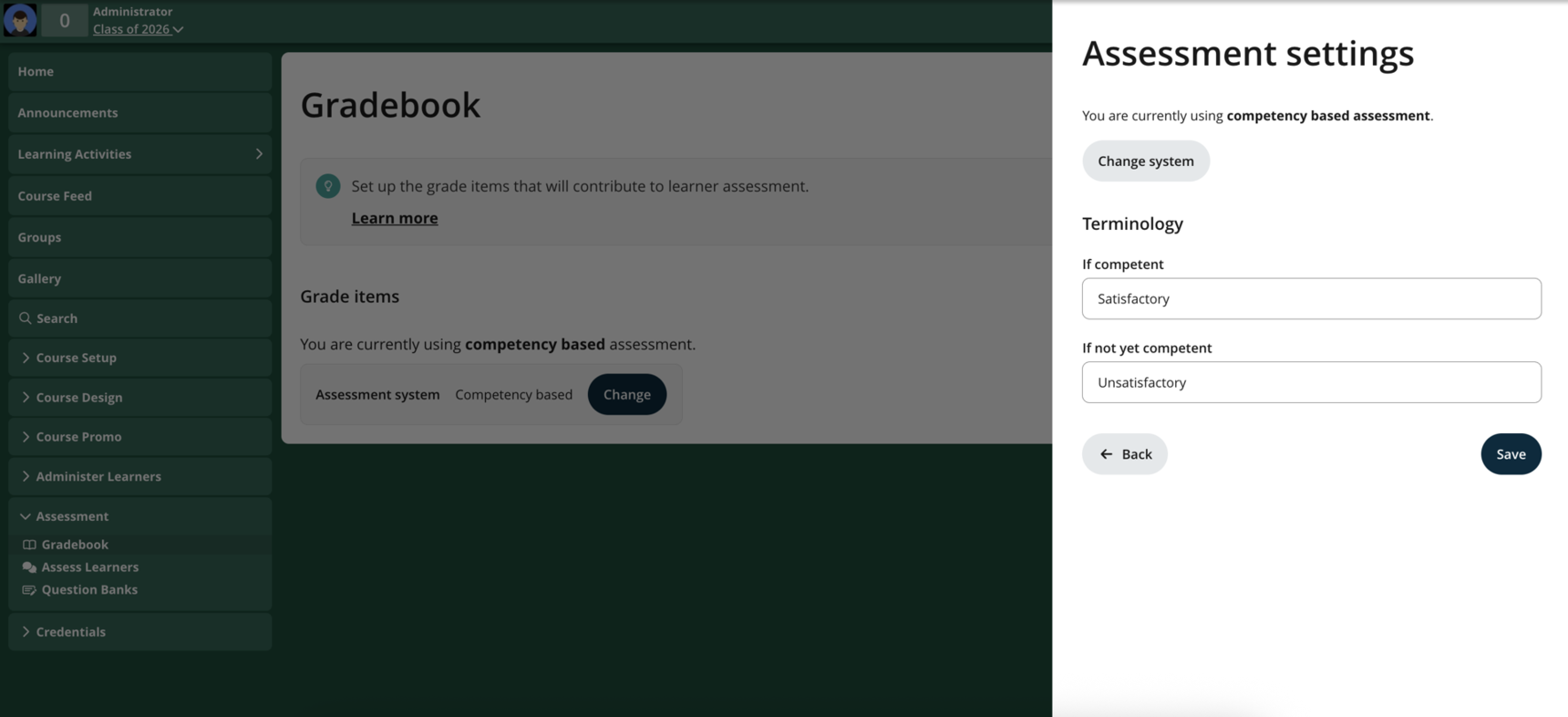
After selecting Competency-based, you can customise the terminology that educators and learners see:
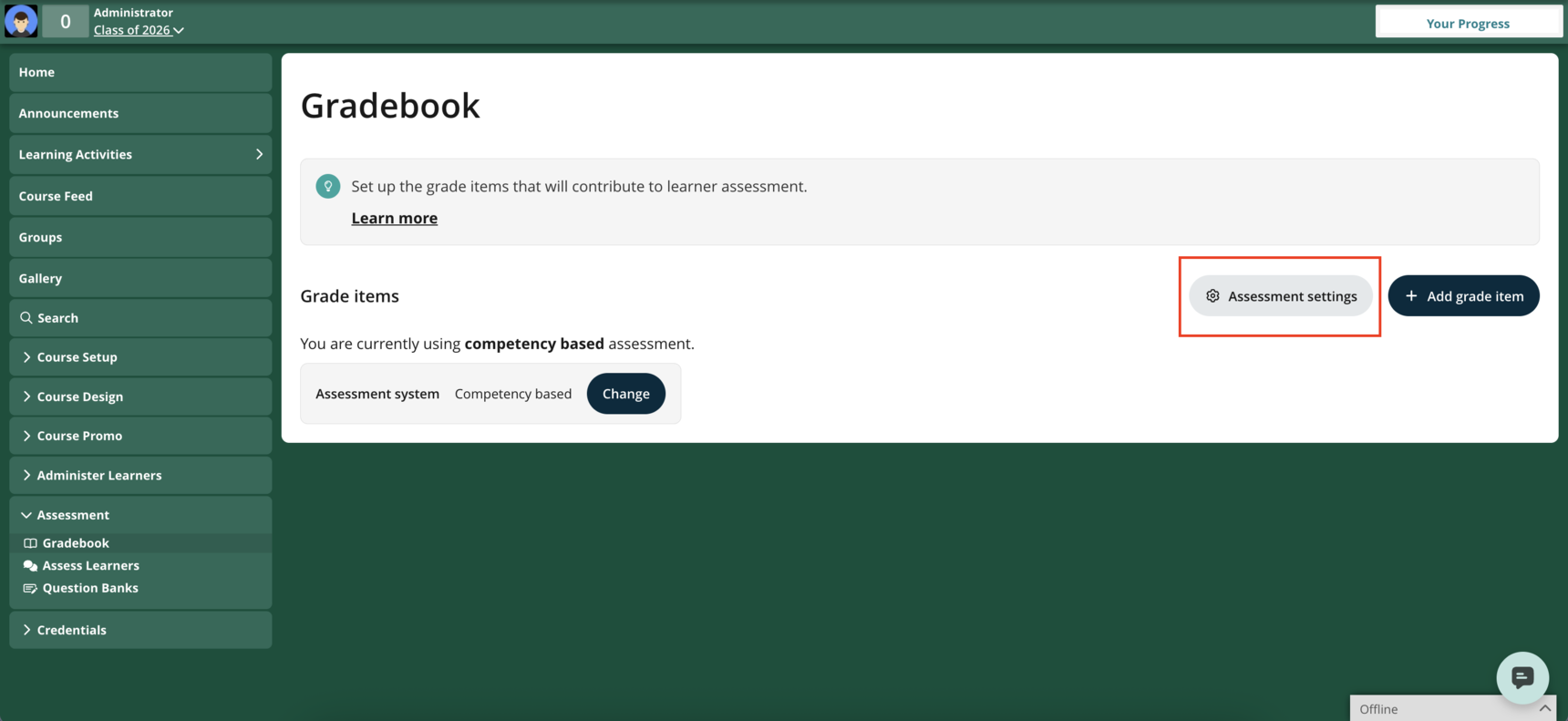
- Click Assessment settings (top right)
- Define your terms for "Competent" and "Not yet competent"
These terms will appear throughout your course:
- Grade item reports (for both educators and learners)
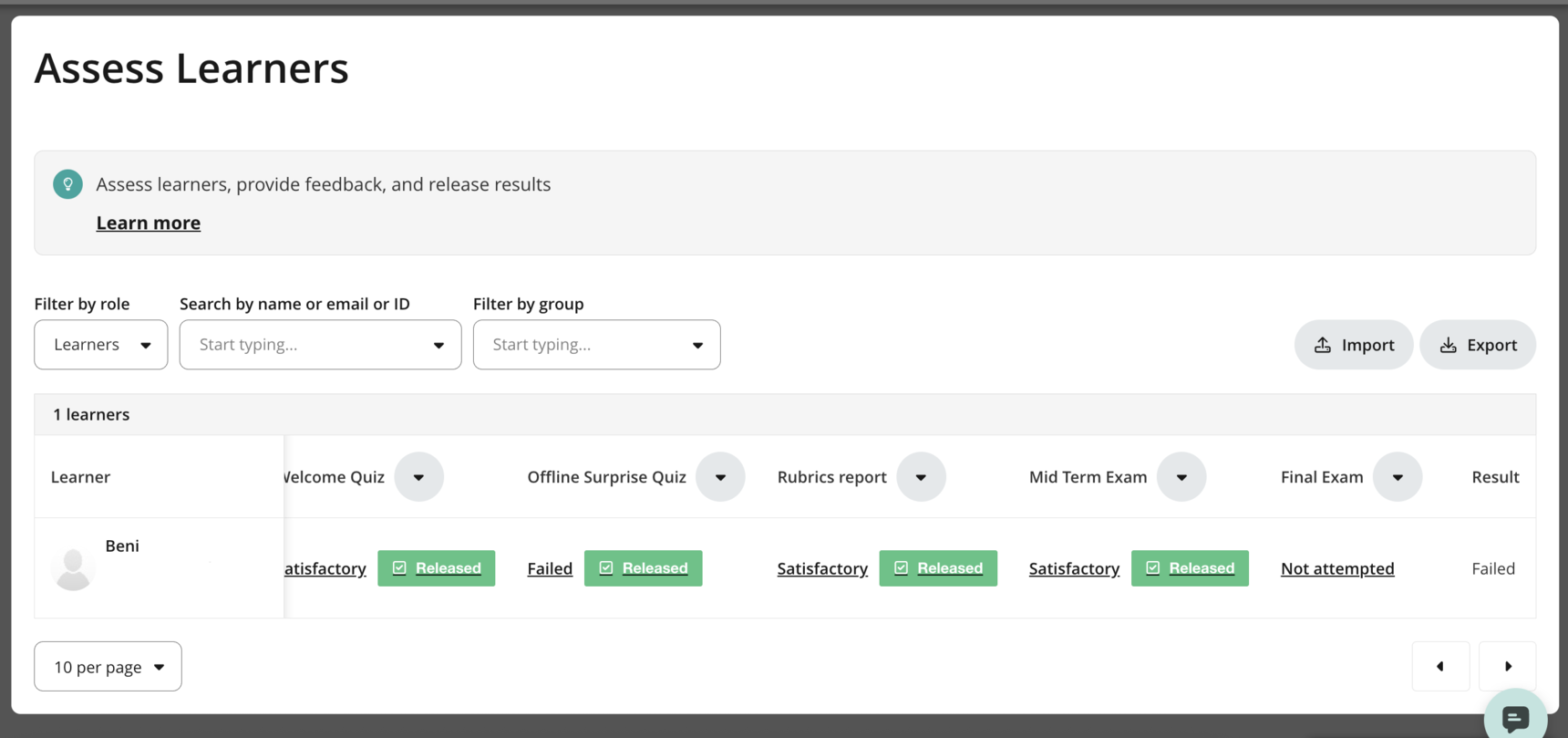
- Assess Learners table
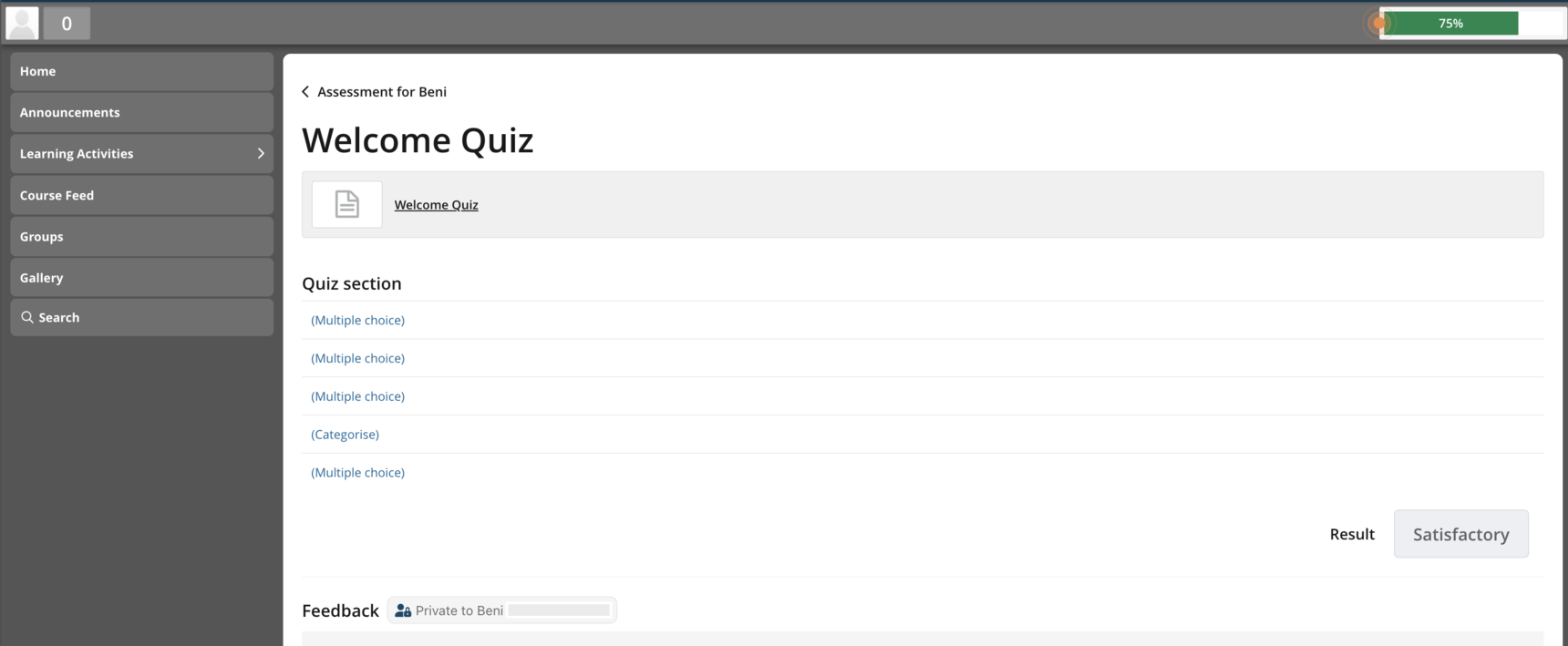
If competency based grading is selected, learners will no longer see the numerical scores on their reports. See below for an example:
As an educator, the assess learner table will look like the following
Changing Your Assessment System
You can switch assessment systems only if no learners have been evaluated yet.
To change systems:
- Click Change or Assessment settings
- Select Change system
- Choose your new assessment system
If learners have already been evaluated, you'll need to create a new class to use a different system.