How to assign a course code to your course?
What are course codes?
Course codes allow institutions to assign a unique identifier to each course for easier identification and management.
Course code requirements
Course codes must:
Be unique within the same institution
Start with a letter or number
Contain only:
Letters
Numbers
Underscores (_)
Hyphens (-)
Be 255 characters or fewer
Not contain spaces or special characters
Example: BUS101, ENG-INTRO_2026
Assign a course code
Step 1
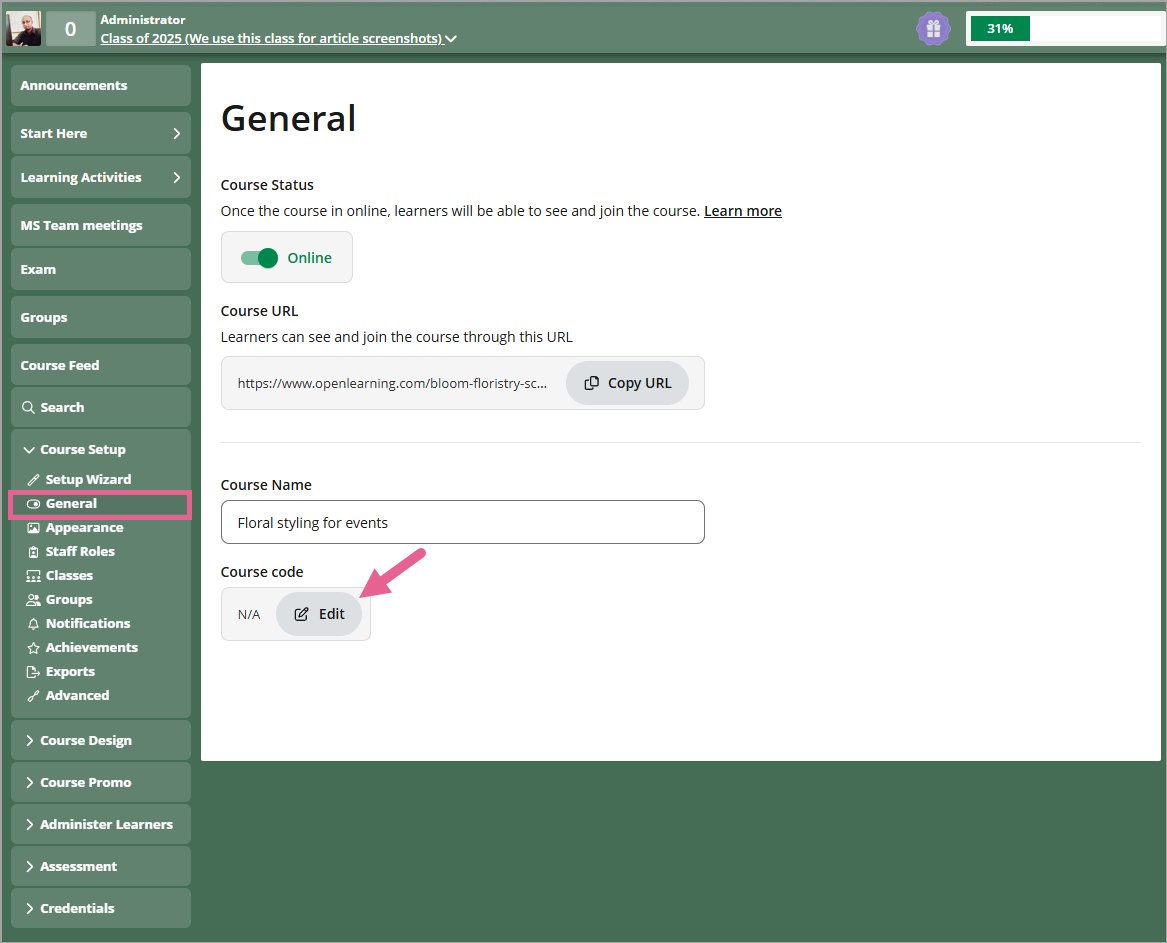
Go to Course Setup > General.

Step 2
Click the Edit button.
Step 3
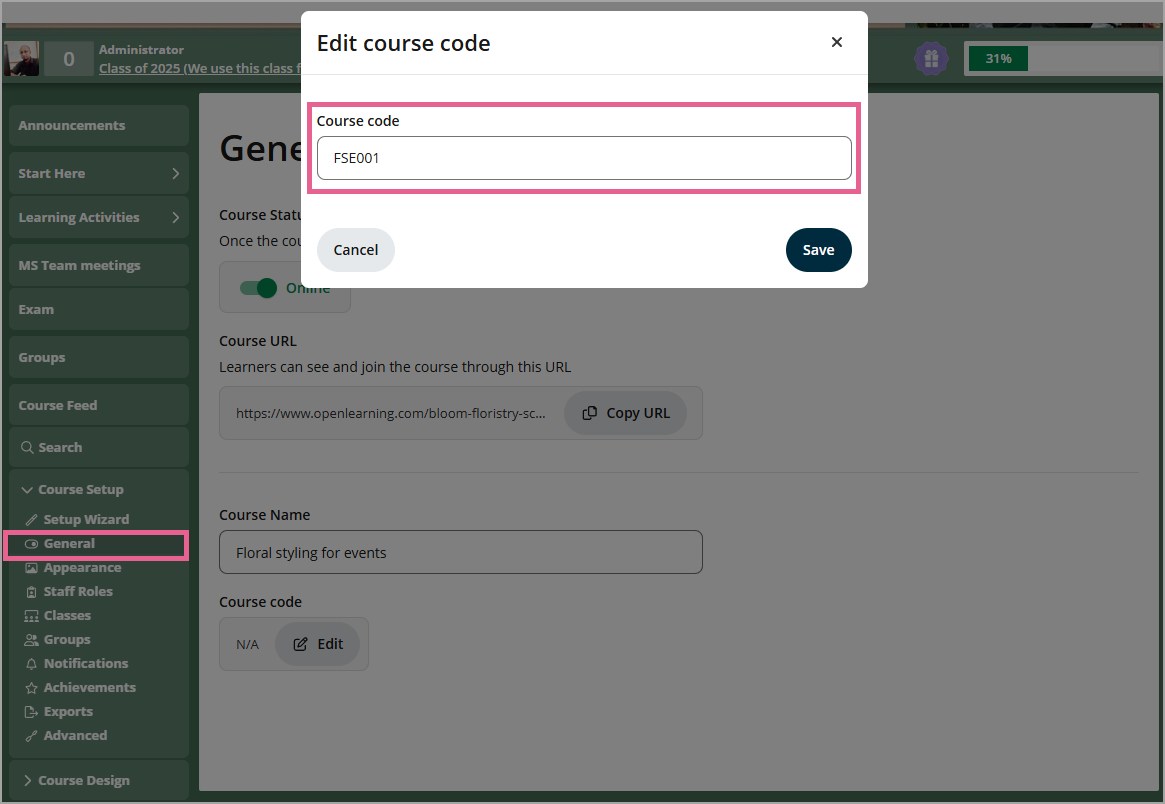
Input your code into the Course Code box
Step 4
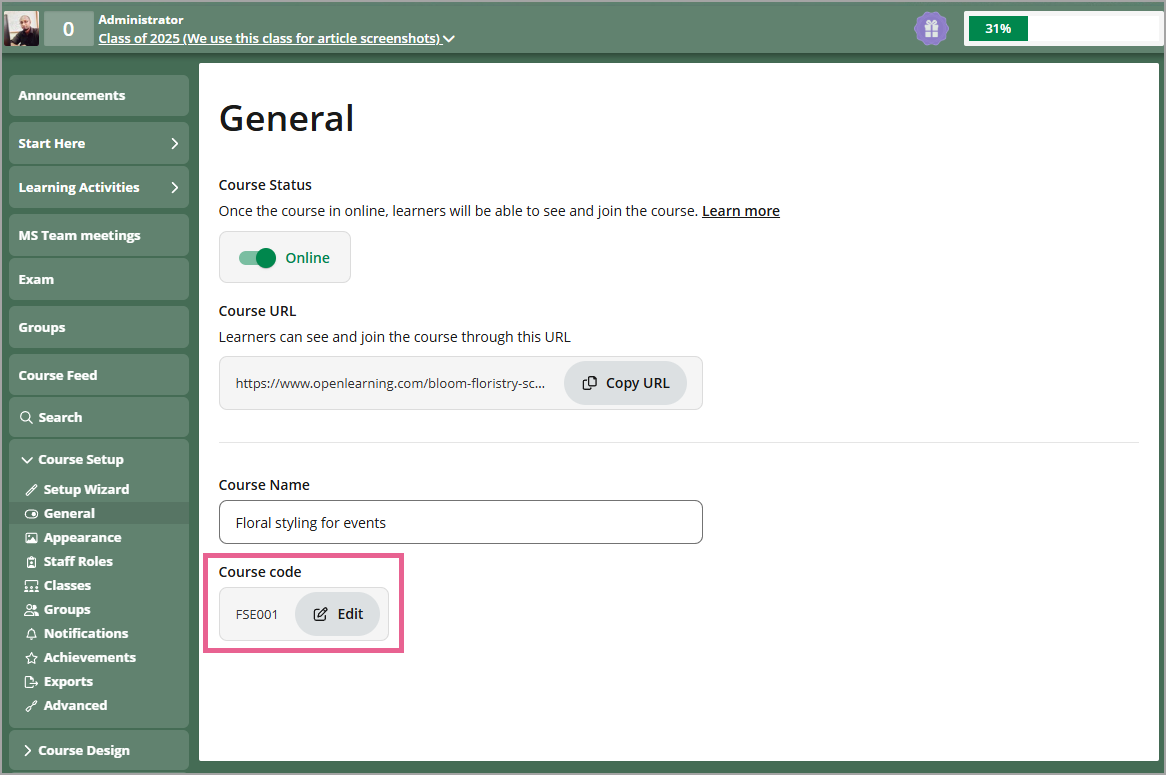
Click Save to save your course code.
Reassign a course code
A course code can belong to only one course within an institution. If you are the Course Administrator of multiple courses, you can reuse a course code by assigning it to another course.
When reassigned:
The code is automatically removed from the original course.
The code is applied to the new course.
View or search course codes
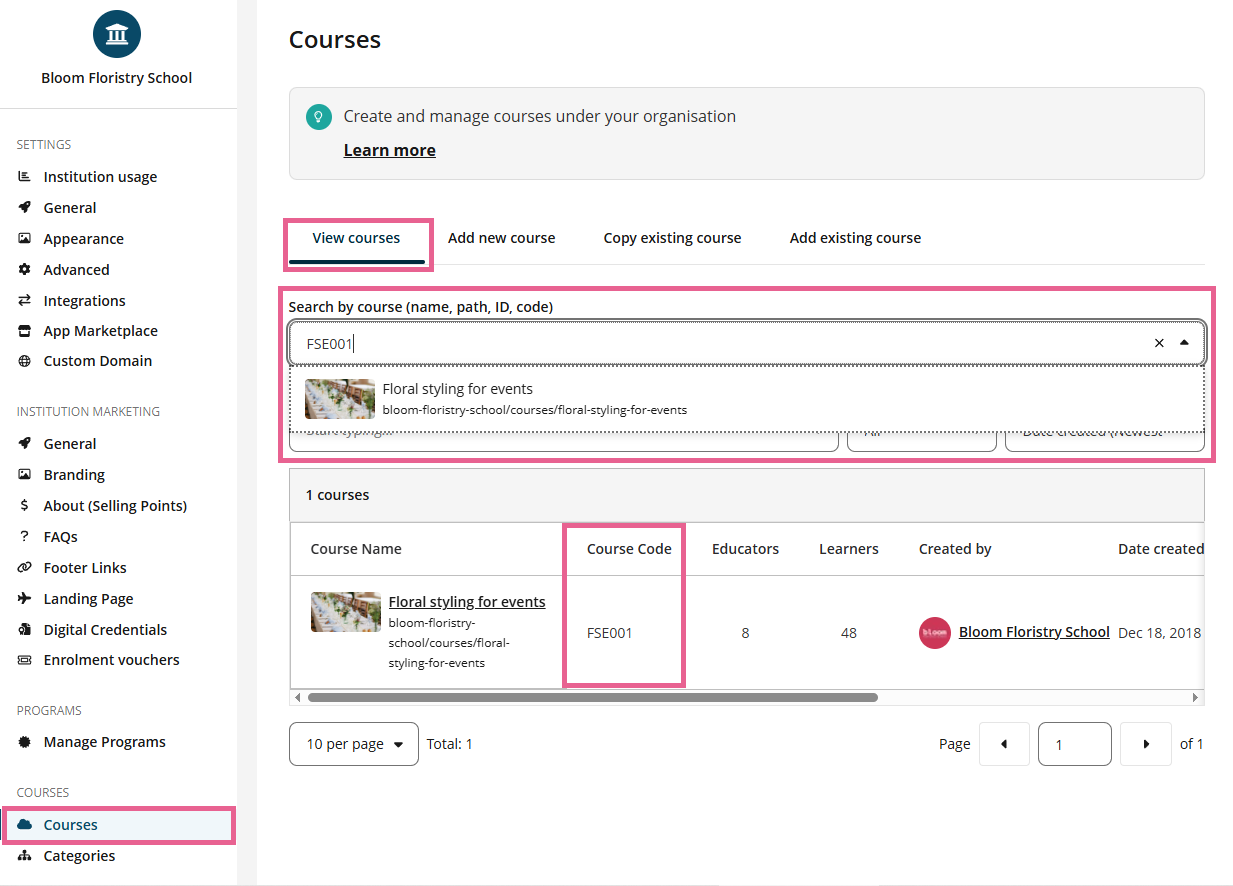
You can view and search for courses using course codes from the Manage Courses page.
Go to Institution Settings.
Select Courses > View Courses.
View the Course code column.
Use the search to search by course name or course code.