
How do I set up and use a Grading Schema?
What is a Grading Schema?
A grading schema is a reusable assessment type that allows you to define your assessment schema once and apply it across all outcomes reports in your class. This article will guide you through how to create, manage, and apply these schemas to your Grade item-Outcomes report.
Things to check before setting up
Before you begin, please ensure:
- You have Assessment Designer permissions for the course.
- You have decided on your assessment structure (e.g. whether you want to use numeric bands, or simple pass/fail categories).
Why use a Grading Schema?
Instead of manually setting up your grading scales, numeric bands, or custom categories every single time you add a new Outcomes Report grade item, a grading schema allows you to build it just once.
By defining your grading approach at the course level, you can quickly reuse the same preset across any class or outcomes report in a single click. This saves assessment designers setup time, ensures absolute consistency in how learners are evaluated across different classes, and eliminates the need to configure duplicate scales.
How to set it up
Step 1
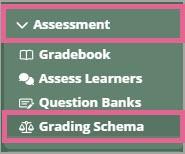
From your course, navigate to Assessment > Grading Schema.
Step 2
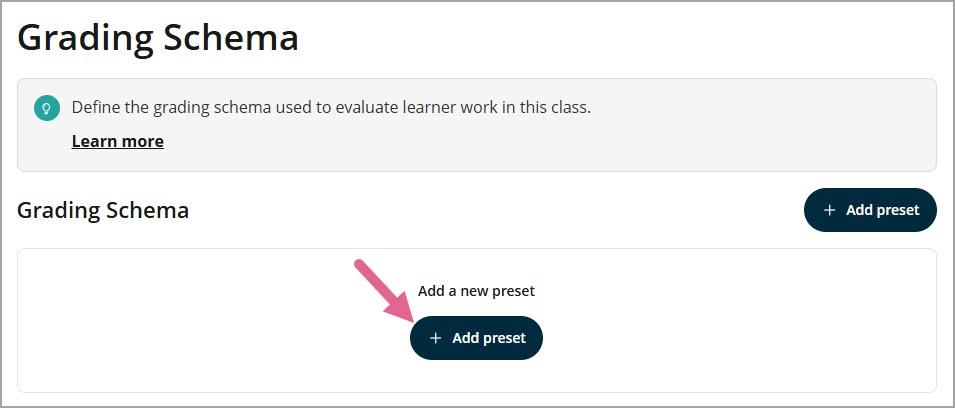
Click Add preset to create new preset.
Step 3
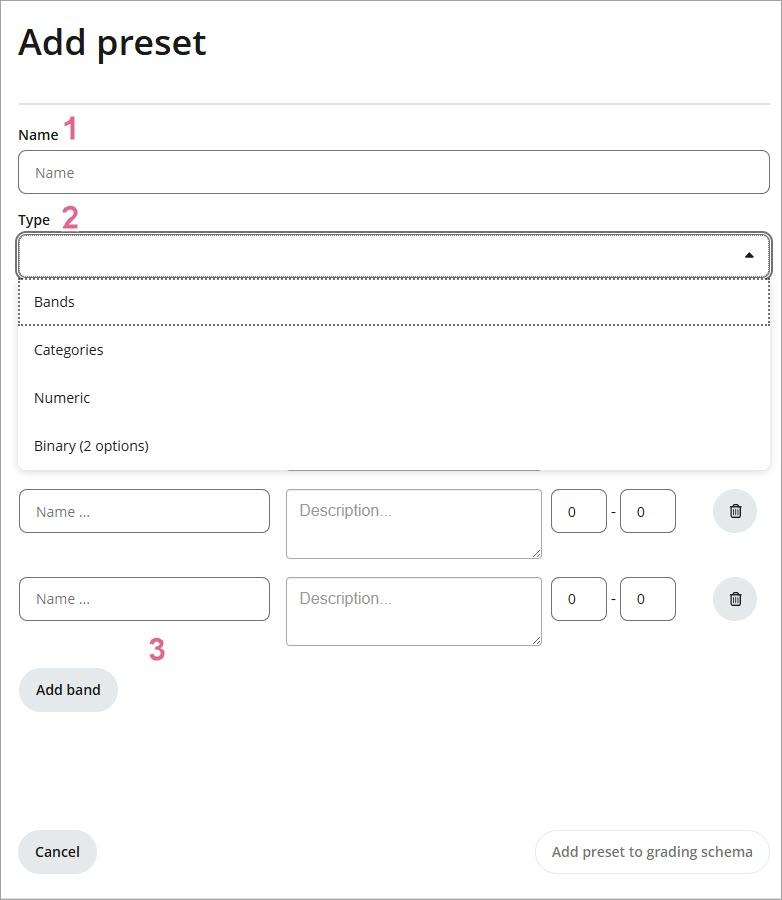
1) Enter a name for your preset in the Preset Name field.
2) Select an assessment type from the Assessment Type drop-down list. The available types are:
- Bands — range-based grading
- Categories — group-based grading
- Numeric — score-based grading
- Binary (2 Options) — binary outcome grading
3) Fill in the configuration fields that appear below your chosen type.
Step 4
Click Save changes to save your new preset.
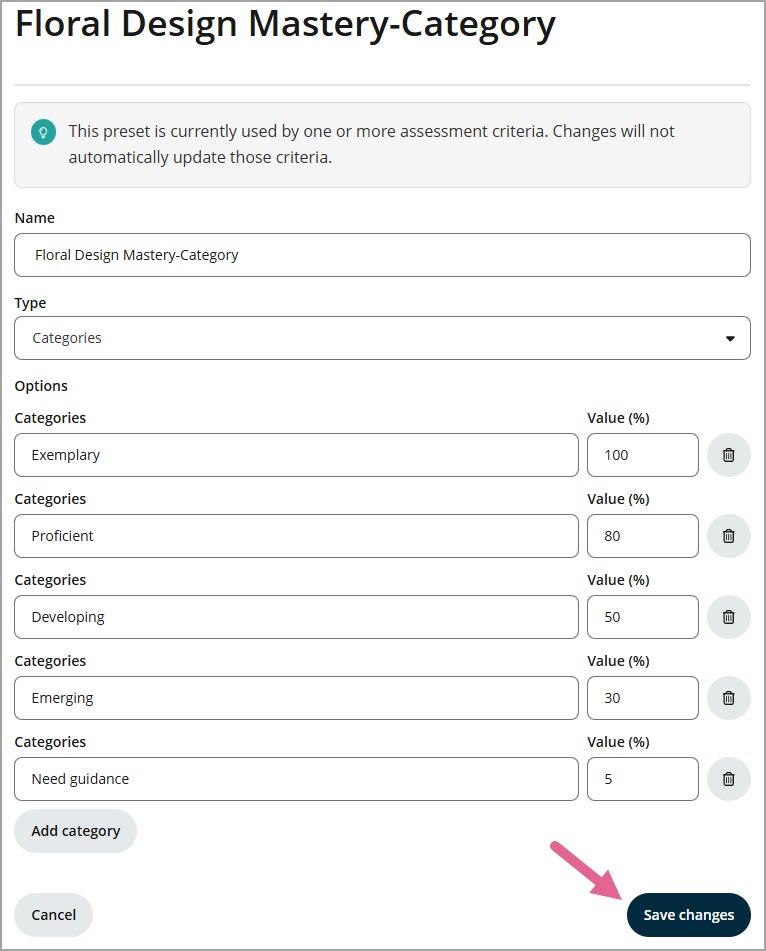
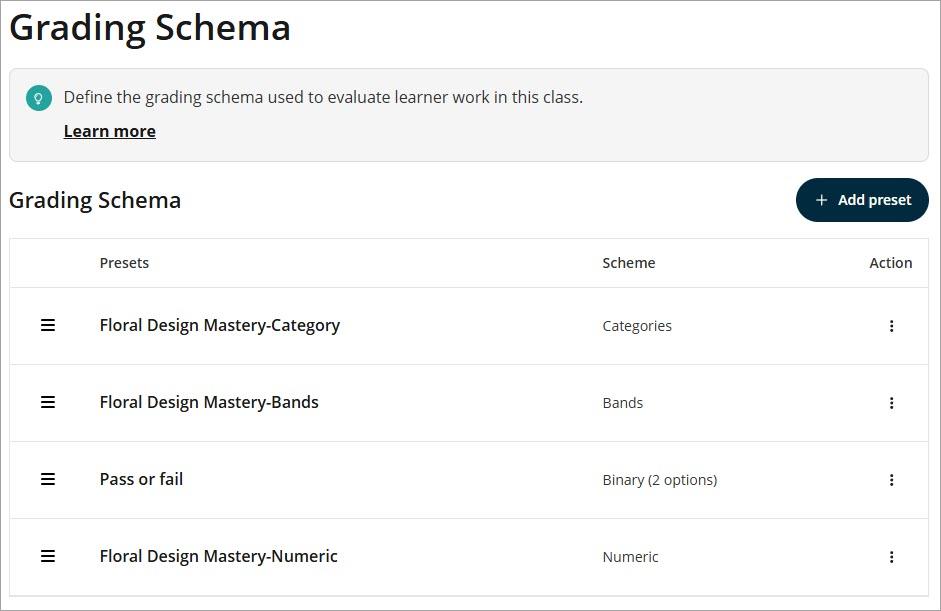
Your new preset will appear in the Grading Schema table and will be available to use within a class.
How to apply a Grading Schema in an Outcomes report
Once you have saved your preset, you can apply it directly to a criterion within the Outcomes report in the Gradebook.
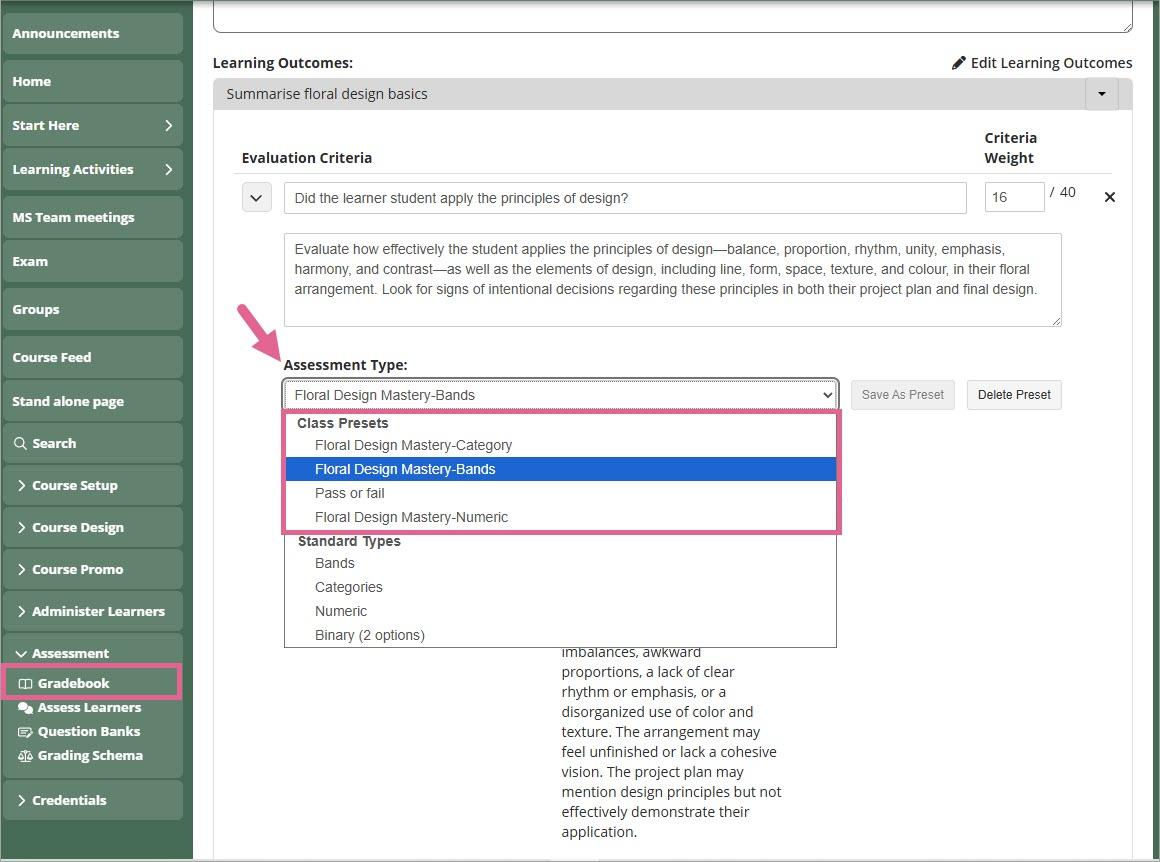
To learn how to apply and configure your grading schema within Outcome report, please refer to our guide: What is an Outcomes report on OpenLearning and where can you create them?