
2
How do I change my course name and course code?
While you cannot change a course URL, you may decide to update your course name or assign a specific course code for administrative purposes.
How do I change my course name?
Step 1
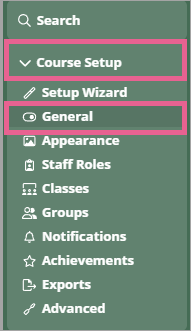
Go to Course Setup > General.
Step 2
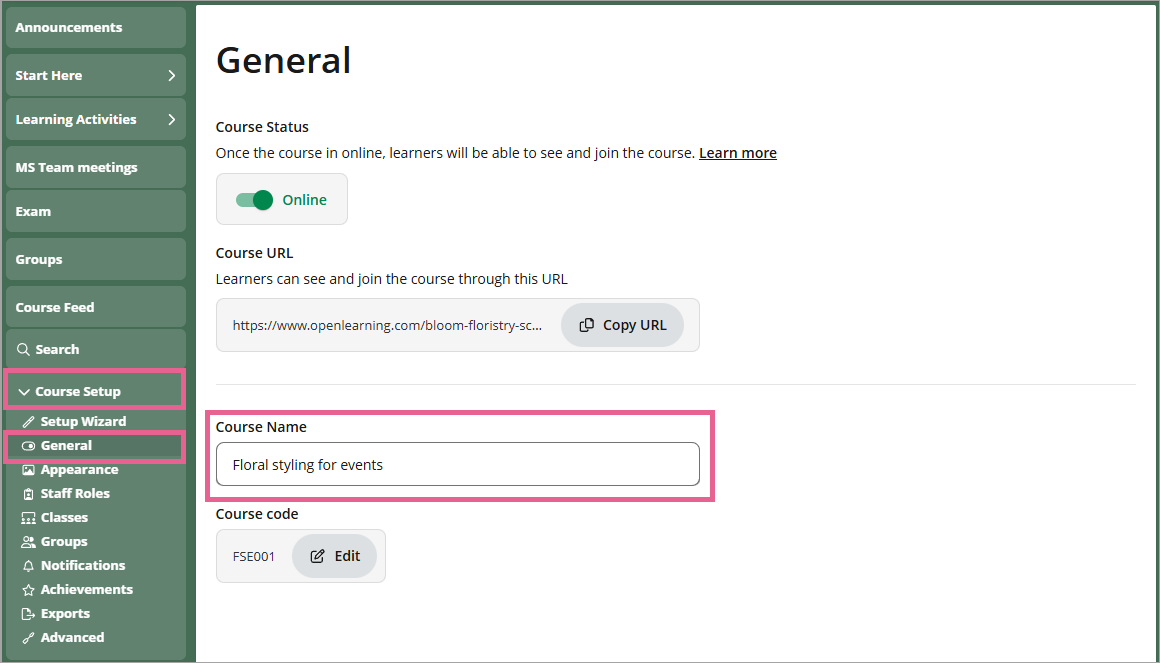
Edit the Course Name box. Your changes are saved automatically.
How do I change my course code?
Course codes allow institutions to assign a unique identifier to each course for easier identification and management. Course codes must:
- Be unique within the same institution
- Start with a letter or number
- Contain only:
- Letters
- Numbers
- Underscores (_)
- Hyphens (-)
- Be 255 characters or fewer
- Not contain spaces or special characters
Example: BUS101, ENG-INTRO_2026
Step 1
Go to Course Setup > General.
Step 2
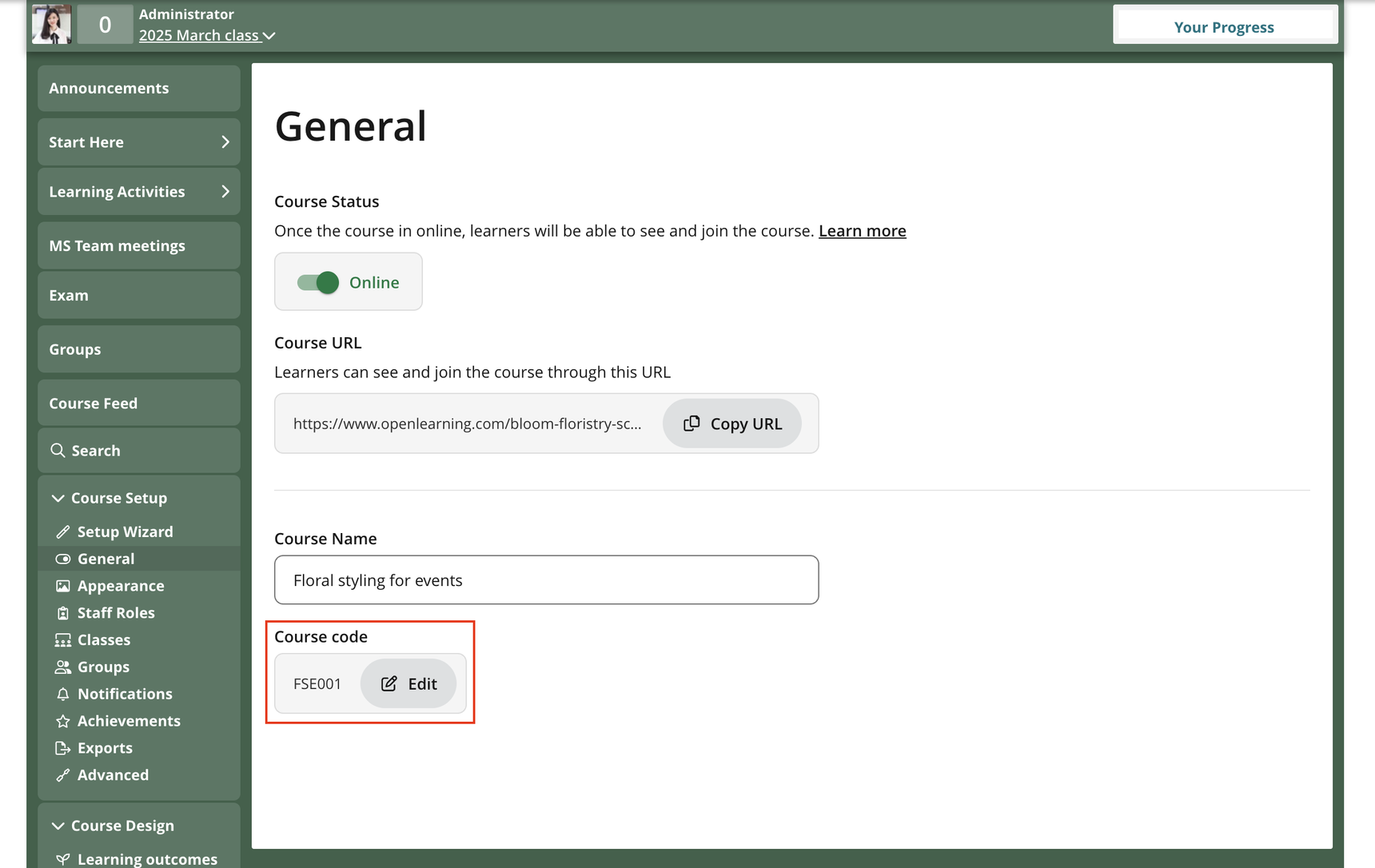
Click the Edit button.
Step 3
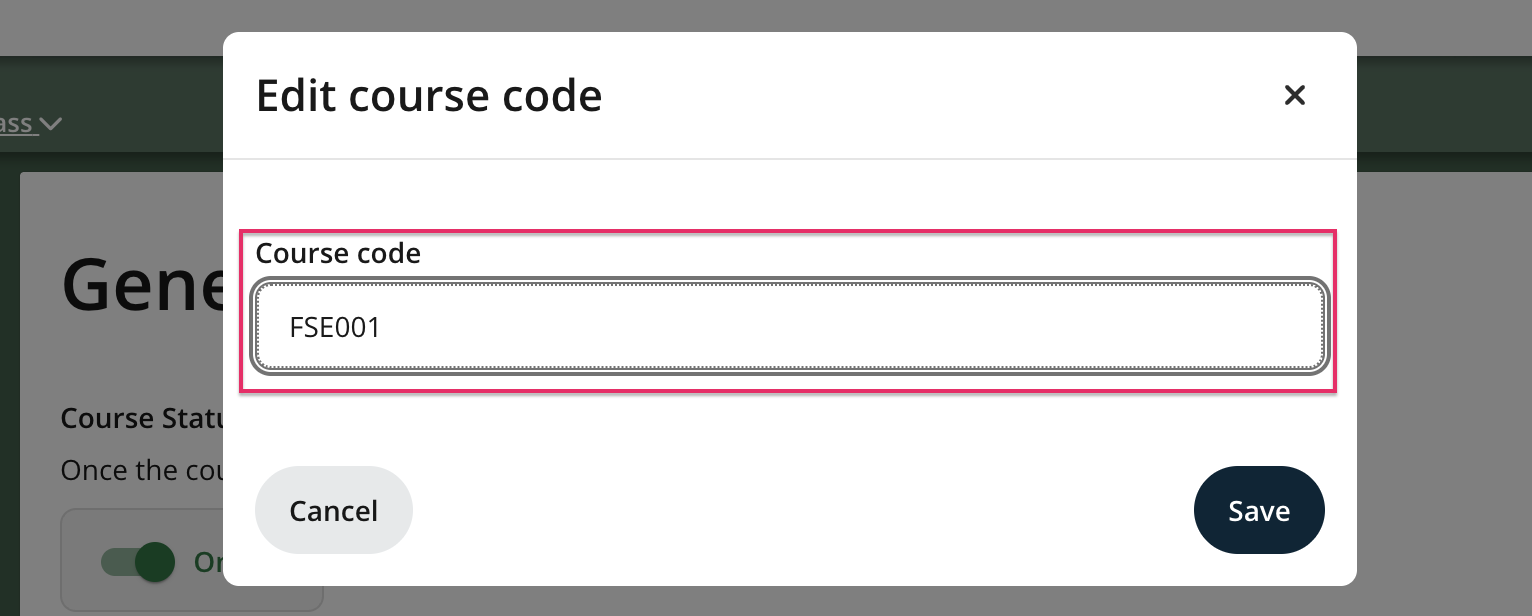
Input your code into the Course Code box and click Save.
Note: A course code can belong to only one course within an institution. If you are the Course Administrator of multiple courses, you can reuse a course code by assigning it to another course. When reassigned:
- The code is automatically removed from the original course.
- The code is applied to the new course.
Previous Article
How do I add a video call option to my course?
Next Article
What is a course feed and how do I use it to facilitate my class?