0
How do I use the Audio content?
What is the audio content
The Audio content can be used to add sound clips, audio lectures, music, and more to your exam questions, allowing for a deeper and more accessible learning experience.
How to set the audio content
Step 1
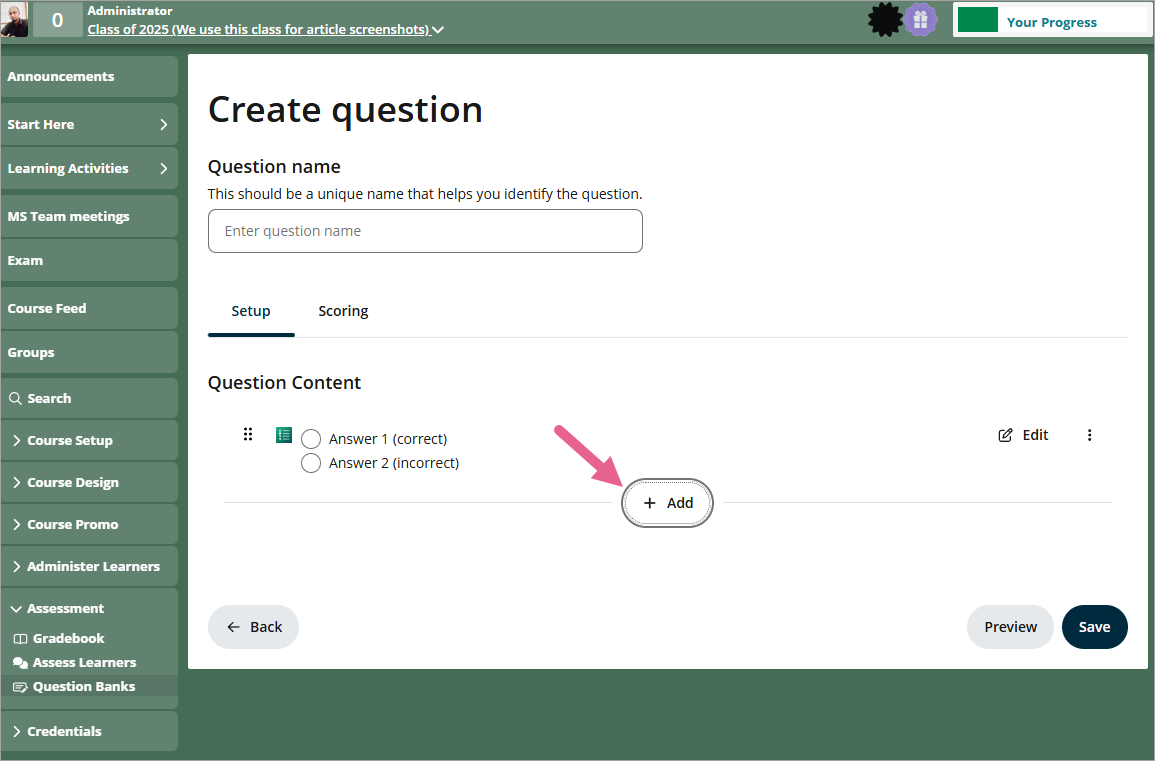
To add new audio content, click on +Add.
Step 2
Click on the audio content icon.

Step 3
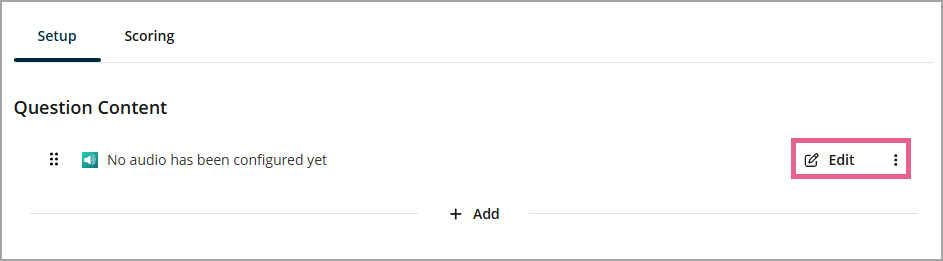
After adding the audio content type, you will see the message "No audio has been configured yet". Click Edit to upload an audio file.
Step 4
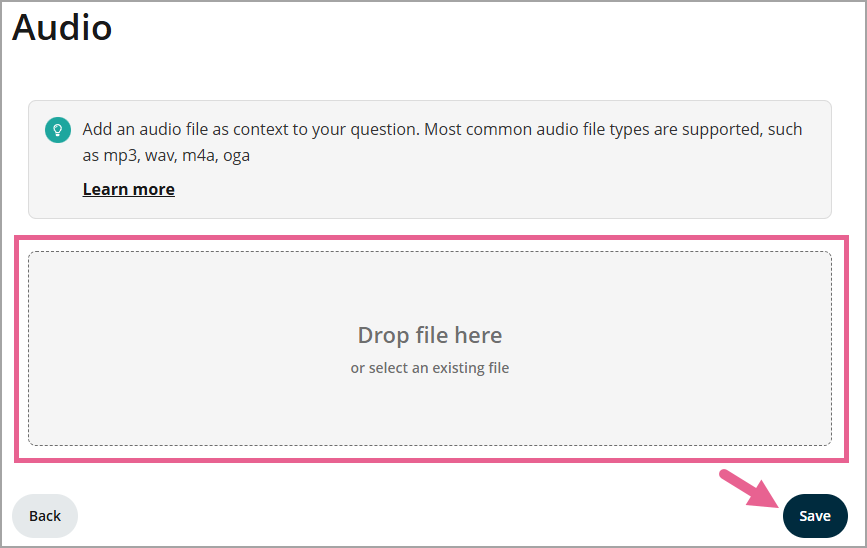
Drag and drop your audio file to the Drop file here section or click on it in order to browse your files instead. Click the Save button to save your changes.