
Program-Based Access for Classes
What is Program-Based Access?
Program-based access is an enrolment type that limits who can join a class to learners already enrolled in a specific program. When you set a class to program-based access, eligible learners can join seamlessly as part of their existing program enrolment — no separate payment required. Think of it as a private "members only" door for your program learners.
Who is this for?
- Admins setting up or editing classes within a course
- Learners enrolled in a program who need to access a linked class
Use cases
- A university wants to restrict access to a course's live tutorial class to students enrolled in a specific degree program
- A corporate training team is running a compliance course and only wants employees enrolled in the company's onboarding program to join
- An RTO offers a blended learning class as part of a qualification program, and doesn't want external learners accidentally enrolling
- An educator wants to ensure learners can't bypass program prerequisites by directly joining individual classes
- An admin is managing multiple programs and wants to assign a class to several programs at once, without duplicating the course
How to set it up
Before you begin: The course must already belong to at least one program. If it doesn't, the program-based access option won't be available.
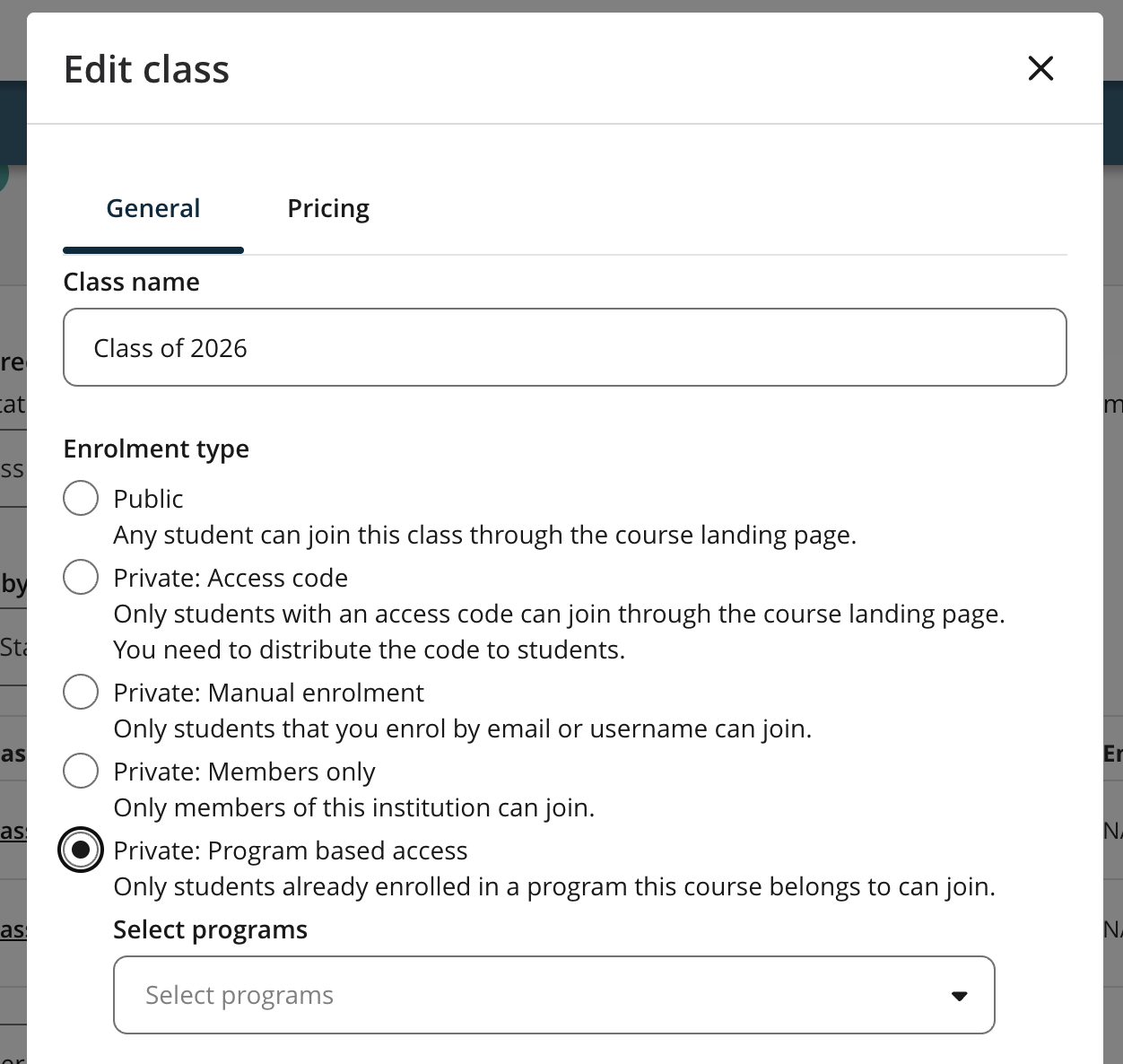
Open the course and navigate to the Create/Edit Class modal.
Under Enrolment Type, select the Private: Program based access radio button.
- You'll see the helper text: "Only students already enrolled in a program this course belongs to can join."
In the Select Program dropdown that appears, choose one or more programs from the list.
- Use Select All to include all available programs, or Clear All to start over.
Review your selections, then click Save to confirm the class settings.
- The Save button will only become active once at least one program is selected.
Your class is now live with program-based access. Eligible learners will see it when browsing the course and can join without an additional payment.
Good to know
- Learners outside the selected program(s) won't see the class at all. Program-based classes are hidden from anyone not enrolled in a linked program, so there's no need to worry about unexpected enrolments.
- No programs are pre-selected by default. When you choose program-based access, you'll always need to manually select at least one program before you can save. This prevents accidentally publishing an inaccessible class.
- Eligible learners skip the payment step entirely. When a program learner joins, they'll see a confirmation screen showing the class name, certificate type, start date, and a note that there's no additional cost. Then they go straight into the course.