
How do I find a course or a class ID?
How to locate the Course ID
A course represents the structured learning program offered within your institution. Each course contains its own content, activities, and enrolled learners.
via User Interface
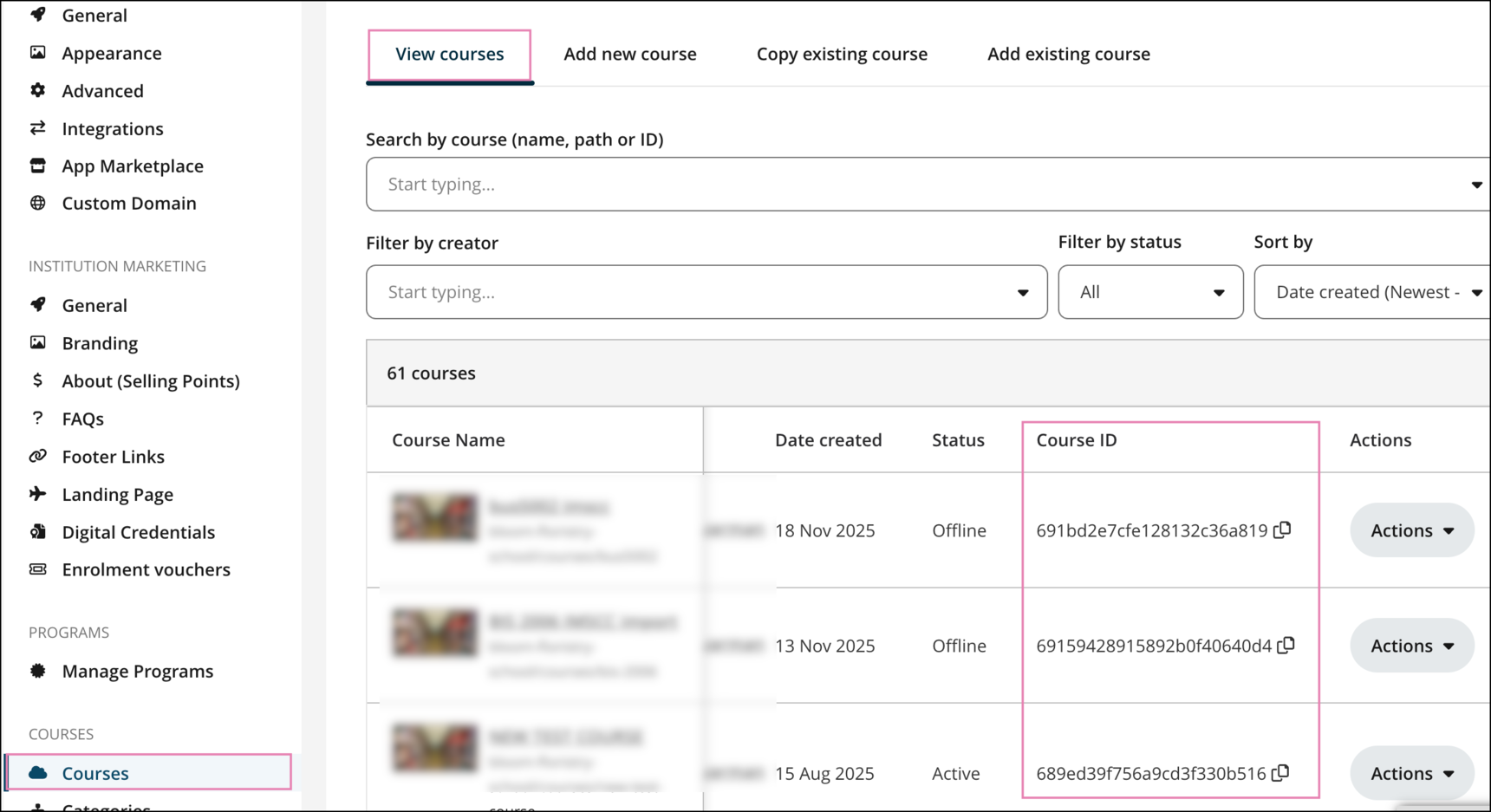
If you are a portal administrator, you can get the Course ID from your portal interface:
- Go to Institution Settings > Courses > View Course.
- In the course table, scroll to the right until you reach the Course ID column.
via API:
Search Courses endpoint :
https://api.openlearning.com/v2.2/docs#/Courses/search_courses_courses__get
GET /courses/
Example of JSON output:

Courses for Institution endpoint:
https://api.openlearning.com/v2.2/docs#/Institutions/courses_for_institution_institutions__institution_id__courses__get
GET /institutions/{institution_id}/courses/
Required parameters: institution_id
Example of JSON output:

How to locate the Class ID
A class refers to a cohort of learners who complete a course together. All learner-generated content and artifacts (i.e. comments, likes, shares, posts) are only visible to others within the same class.
via User Interface
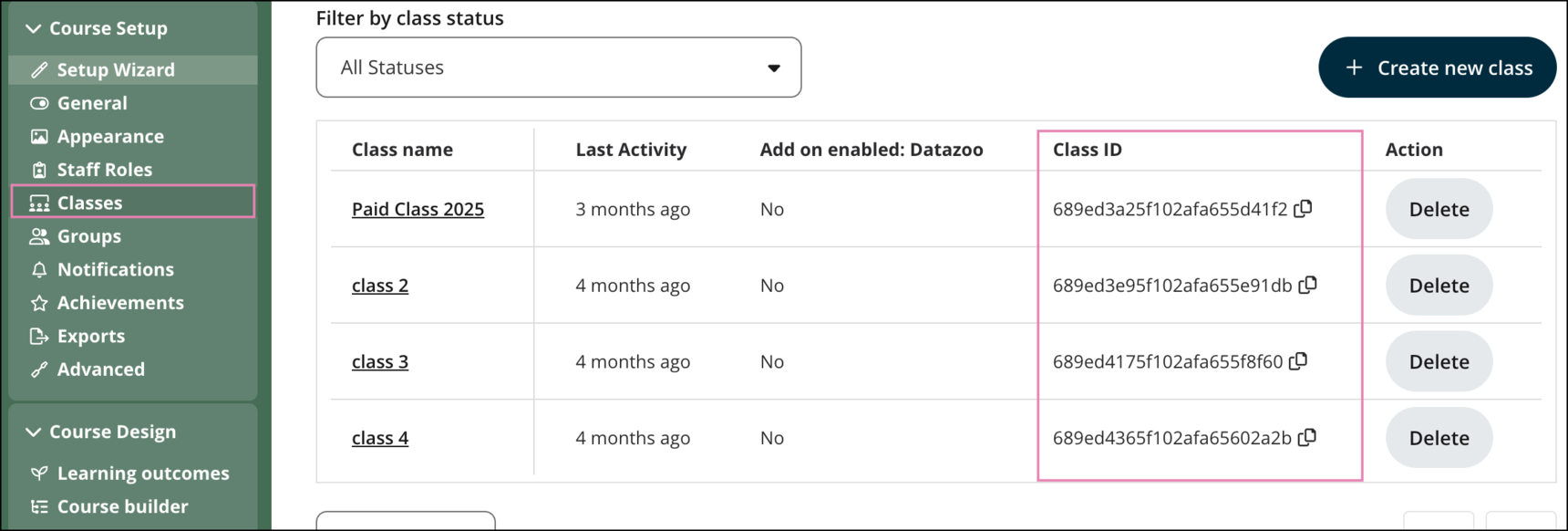
As a course administrator, you can find the Class ID directly from your course interface:
- Go to Course Setup > Classes.
- In the class table, scroll to the right until you reach the Class ID column.
via API:
1. https://api.openlearning.com/v2.2/docs#/Courses/classes_for_course_courses__course_id__classes_get
GET /courses/{course_id}/classes/
Required parameters: course_id
Example of JSON output:
