
Giving email permission to institutional course providers on OpenLearning
All learners joining a course from an institution via the course landing page are asked for permission to share their primary OpenLearning email address with the course provider, including future primary email address changes.
Why do learners need to provide email permission?
There are a few reasons why the course provider may need to know a learner’s email. For example:
- Communication and engagement
- Clarifications regarding course prerequisites and expectation
- Announcements regarding content and timelines change
- Replies to any course and content related queries
- Assessment purposes
- Learner performance
- Internal data or record keeping
How do learners provide email permission?
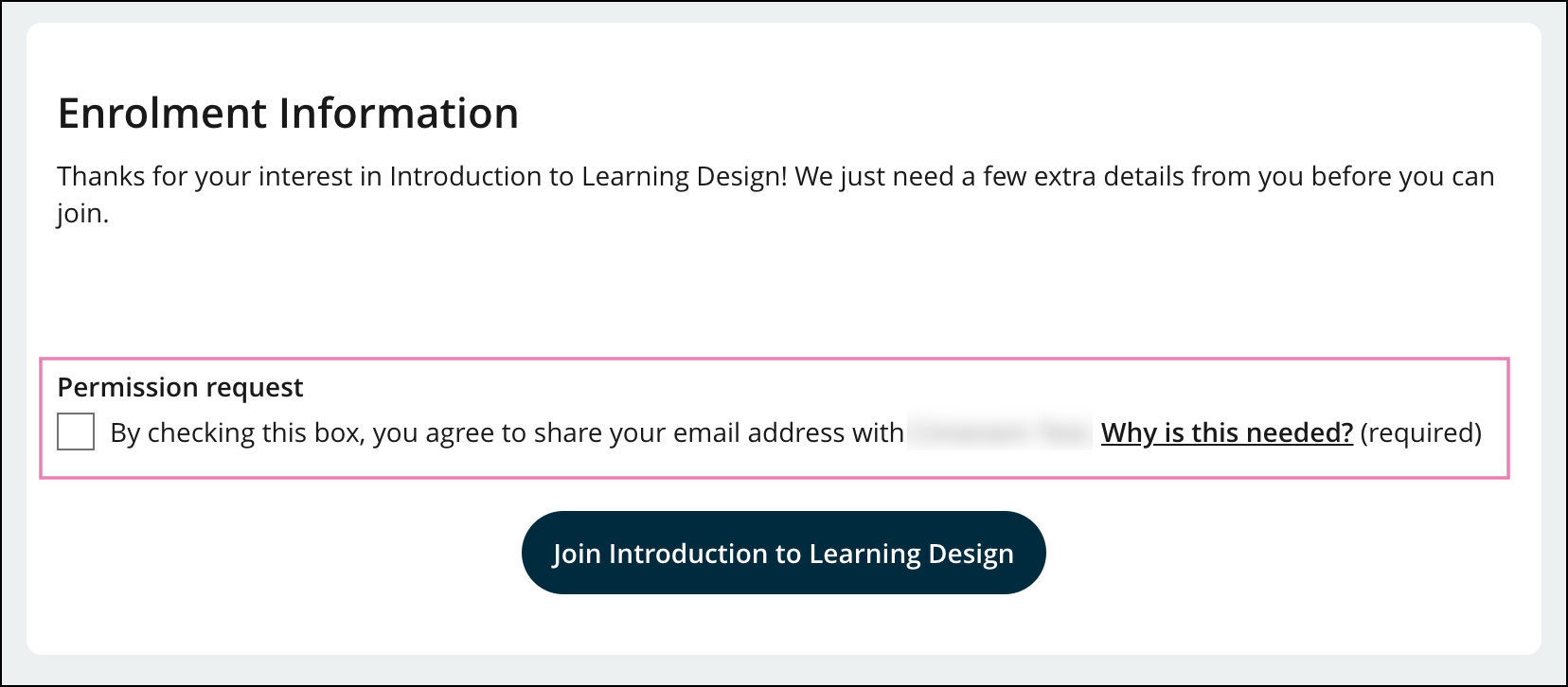
1. New learners joining a course via the course landing page will be prompted with a permission request to share their email address with the course provider prior to proceeding to the course.
2. Learners already enrolled in a course will be prompted with a pop-up box permission request on the course homepage, where they have to select a mandatory checkbox to continue. By checking this box, the learner agrees to share their primary email address with the course provider.

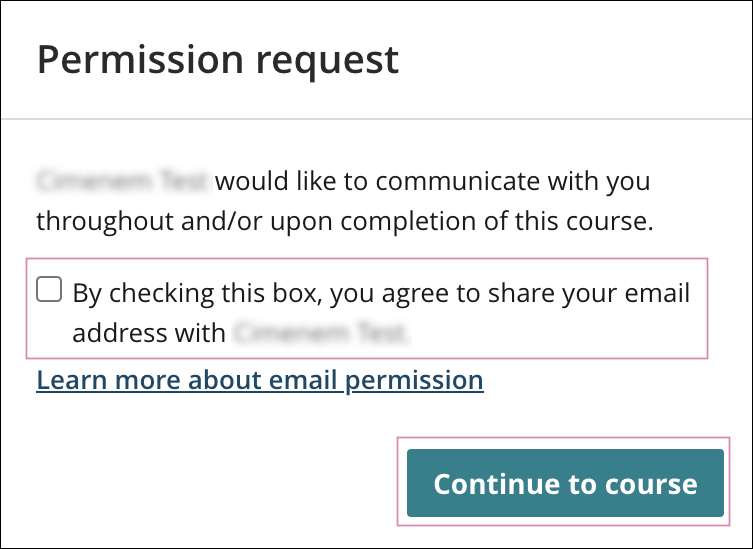
For both new and existing learners, providing email permission is mandatory in order to join a course or continue accessing a course under an institutional course provider.
How do learners withdraw email permission?
Learners have the ability to withdraw email permission via their OpenLearning Account Settings.

The Email permissions section in the learner’s Account Settings lists all institutional course providers who have been granted permission to see the learner’s email address. When clicking on the Withdraw permission button against each of these providers, there will be a confirmation pop-up box, which then proceeds to remove the learner’s email address from the consent registry of that institution.
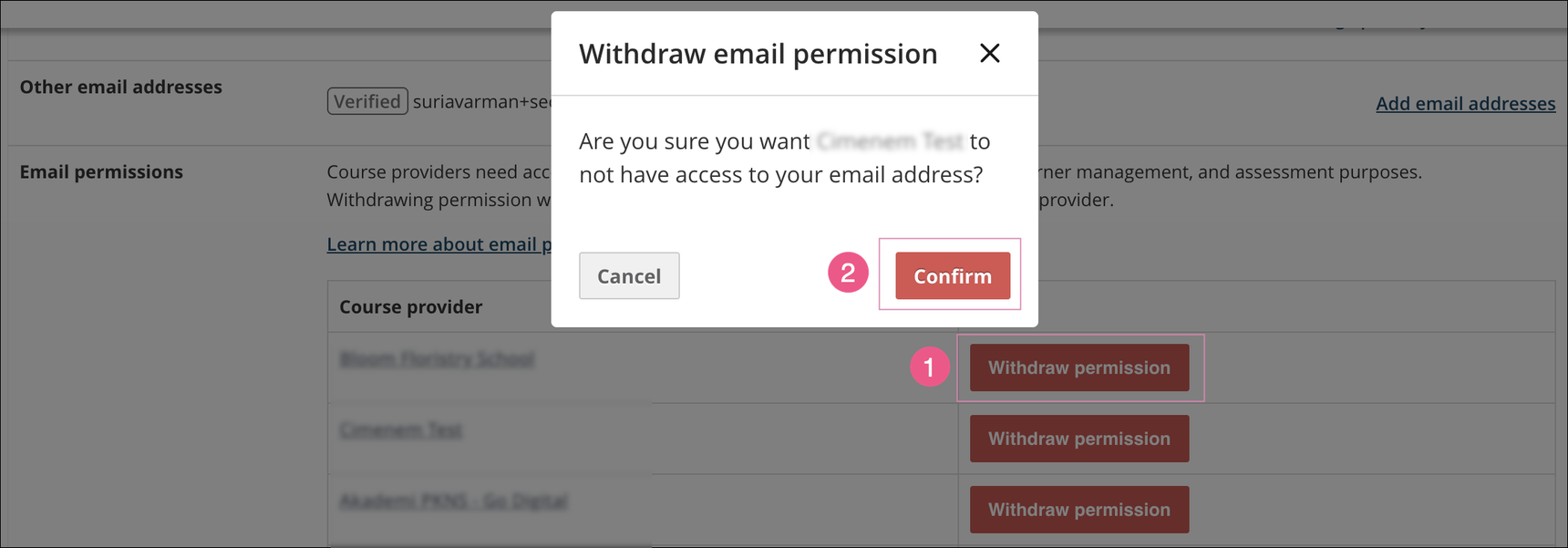
⚠️ Reminder: Withdrawing email permission means the learner will not be able to access the course content under the institution provider until they consent. The permission box will prompt up again until they do so.
Notes & Exceptions
This prompt will not appear for learners in the following cases:
When they have already provided consent.
When the institution has invited them to the portal or course, meaning their email address is already on record. This is common for private portals or courses.
Learners can still update the registered email address for their account at any time. The consented email address will then be visible to staff in the following places:
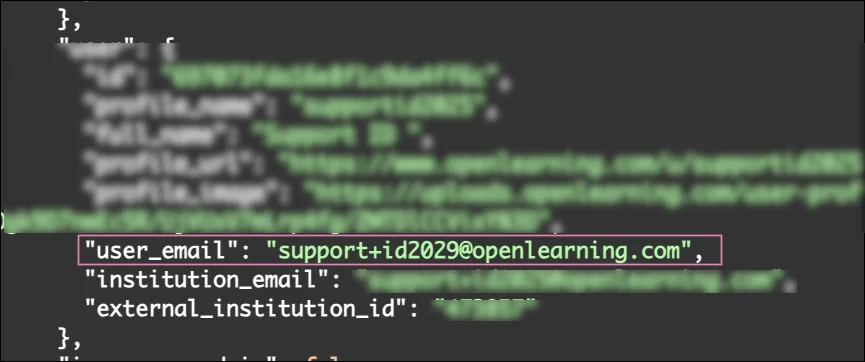
Enrolment APIs - user_email field
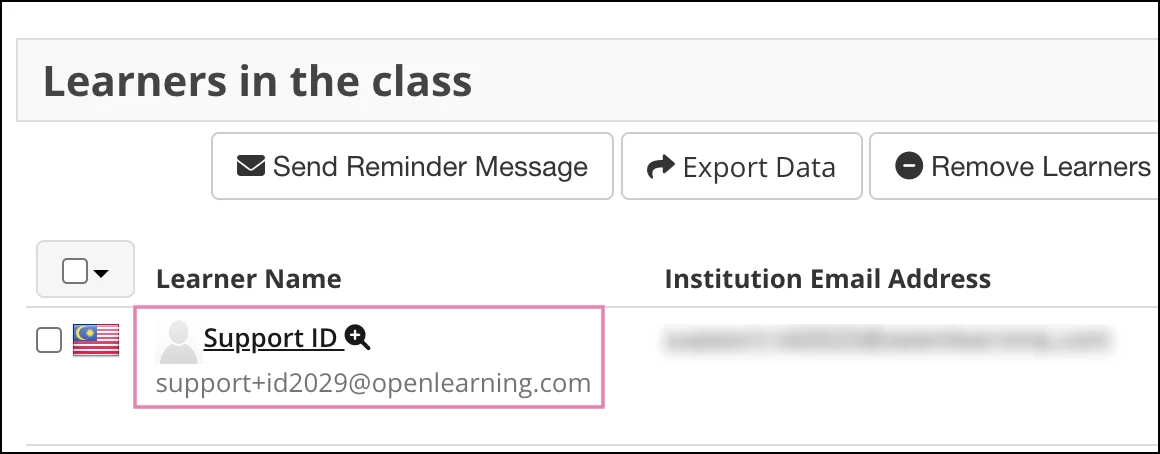
Course UI : Administer Learners > Learners table (below the learner's name)
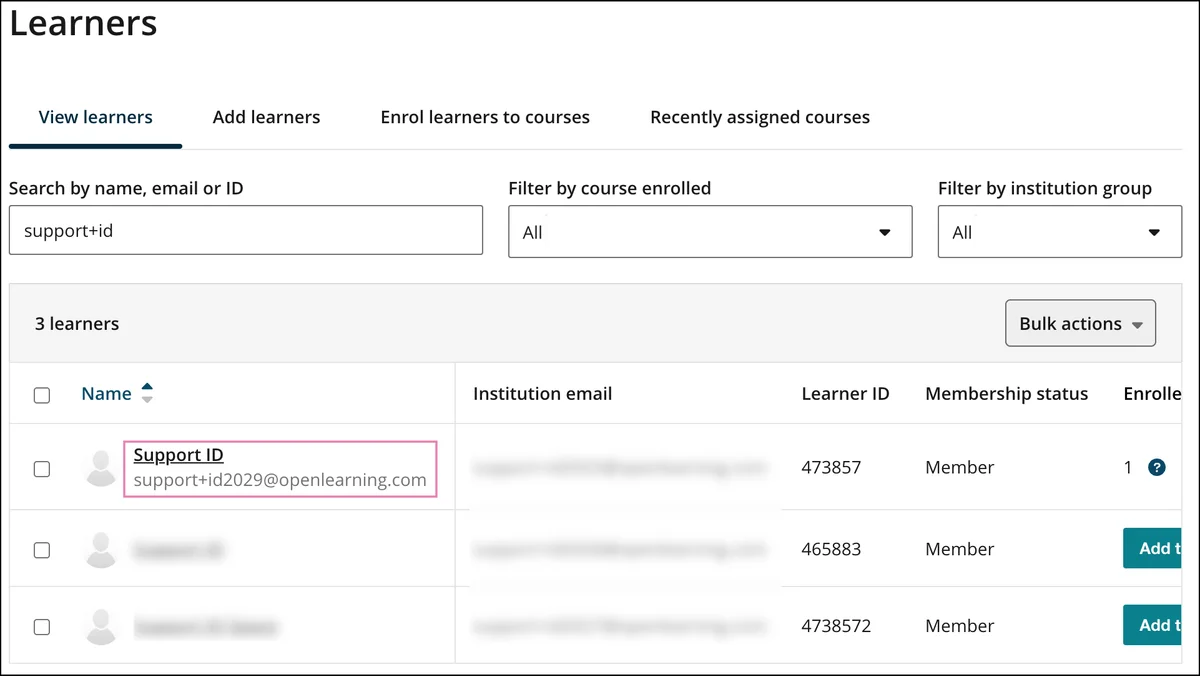
Institution UI - Manage learners / Manage team table (below the learner's name)
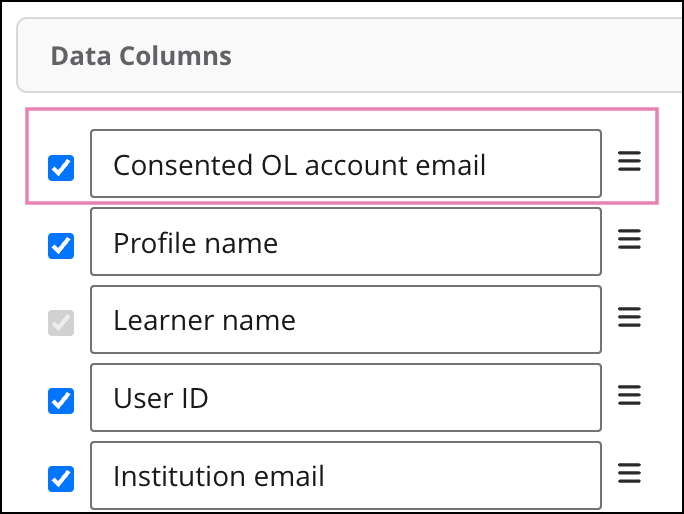
Exports - Consented OL account email column
If you have further questions or would like guidance on enabling this feature for your private institution, please contact our Customer Support team at support@openlearning.com.
28 replies
-
Agreed
-
De acord!
-
Agree to..
-
Agree
-
Agree
-
Agree ✔️
-
Need more information about sharing of data and privacy policies of recipients.
-
Agree
-
Agree
-
agree
-
Agreed
-
Agree
-
韓
-
Agree
-
Agree
-
Agreed
-
agreed
-
Agreed
-
agreed
-
Agreed
-
Agreed