
How do I set up a Private: Members only class?
The Private: Members only setting is ideal for internal training or exclusive courses where enrolment is restricted to verified members of your institution. By using this setting, you ensure that the class remains hidden from non-members and is only accessible to users who are assigned as members in your institution.
How to set up a Private: Members only class
Step 1
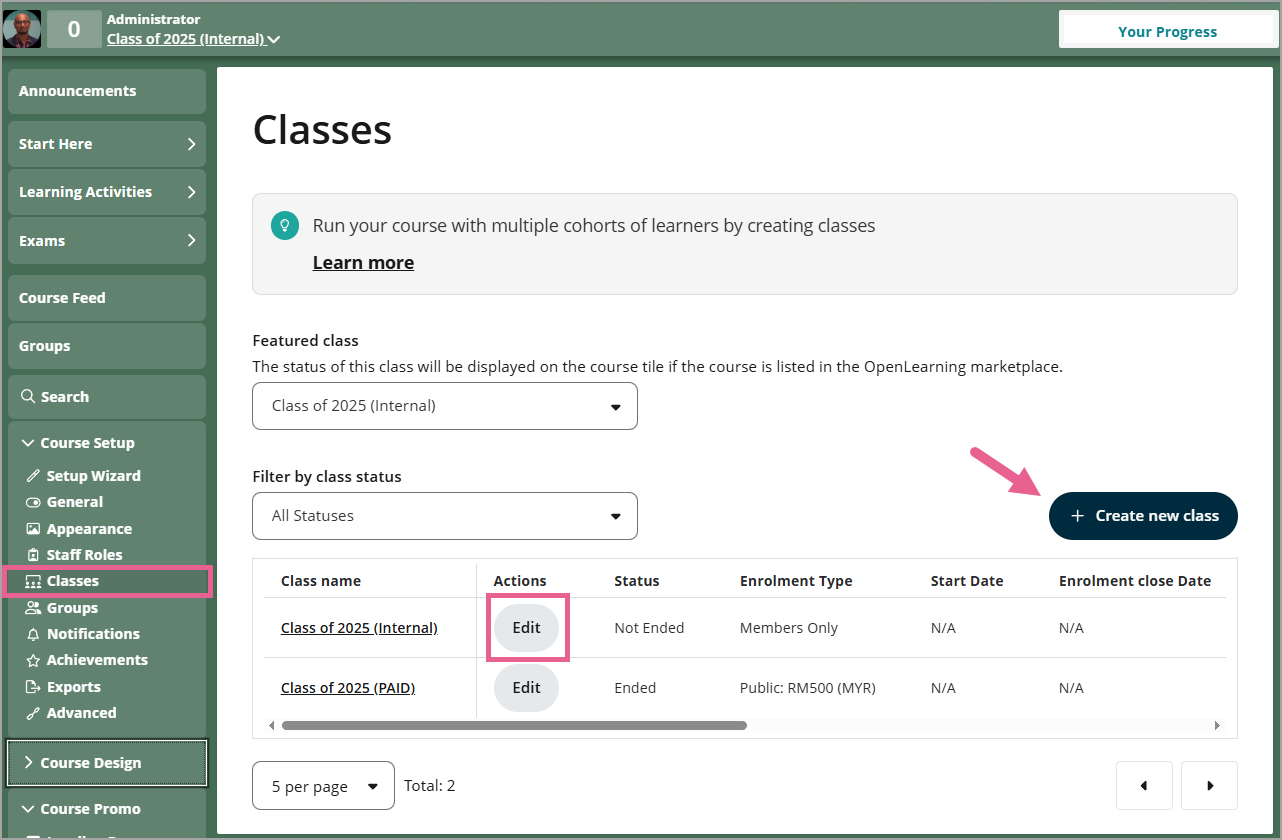
Go to Course Setup > Classes in your Course. Click Create new class if you want to create new class or find the class you would like to update and click Edit.
Step 2
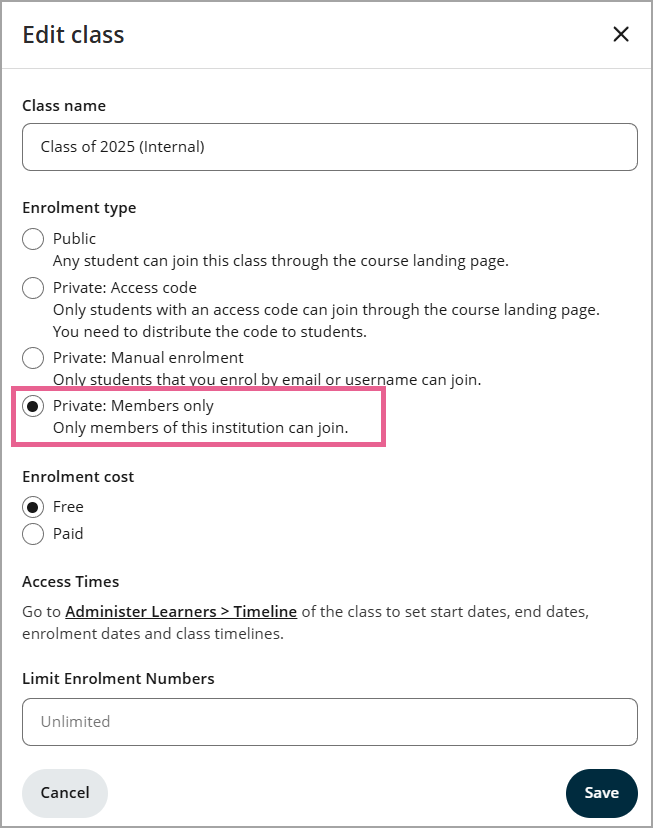
Select Private: Members only and click Save.
How learners join a Private: Member only class?
Note: Only learners recognised as institution members will be able to see this class in the list on the landing page. It remains hidden from non-members.
Step 1
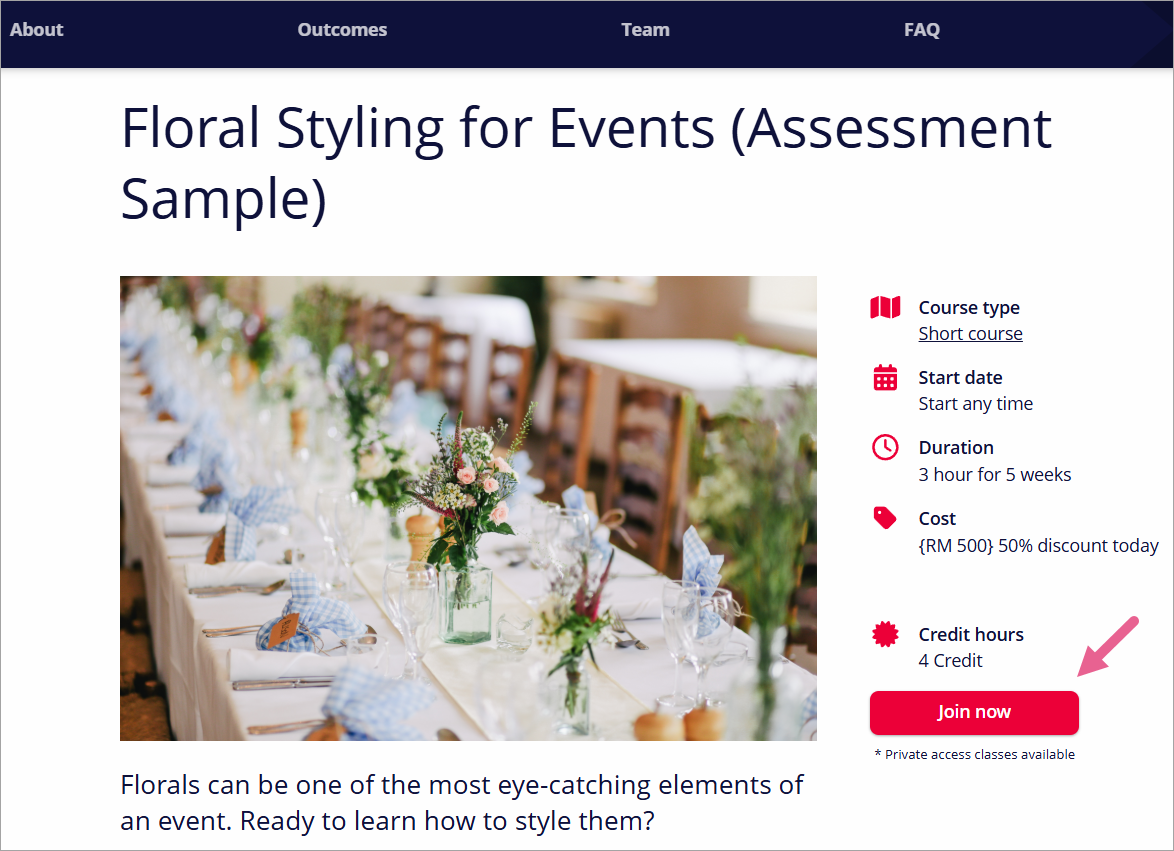
The learner navigates to the course landing page while logged into their account. The learner clicks the Join now button on the landing page to view the available classes.
Step 2
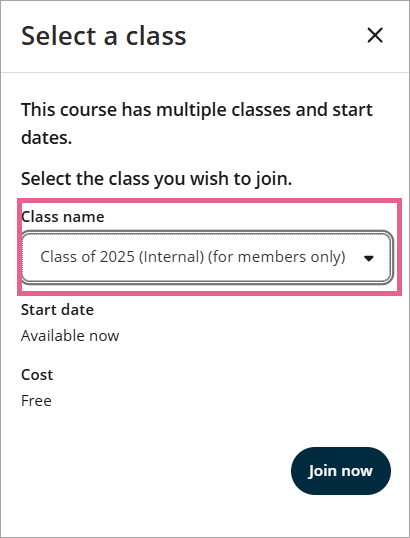
The learner locates the Class name (for members only) class in the class list.
Step 3
The learner clicks the Join now button to be added to the class.
FAQs
Can a learner become a member and then see the class?
Yes. As soon as a learner is added as an institution member (either manually or via email domain), the class will become visible to them on the course landing page.
Related links
How do I automatically add learners as institution members based on email domain?